
What is Live Sketch?
Live Sketch is a term used for an experience in which a participant’s colored drawing becomes a digital character on a screen. Wonder Bricks provides this type of experience through its Avatar Maker and Avatar World apps.
Live Sketch is an experience in which a colored paper drawing becomes a character on a screen. With Wonder Bricks, you photograph a template in the app, create a 3D avatar and see it in a world on the venue’s TV.
Official Wonder Bricks video: a colored Kiki template, the resulting avatar and actual game play. This illustrates the drawing-to-avatar result; venue equipment and operation are explained below.
Watch on the official YouTube channelLive Sketch is a term used for an experience in which a participant’s colored drawing becomes a digital character on a screen. Wonder Bricks provides this type of experience through its Avatar Maker and Avatar World apps.
Color a paper template, photograph it in the Wonder Bricks app and find your colors on a 3D avatar. The venue’s Avatar World display lets you see the character on a larger screen.
Live Sketch content can differ in how the drawing appears and what visitors can do next. Look at the original drawing and the result together when choosing an experience.
A flat drawing displayed on a screen and a drawing turned into a 3D character look different. Wonder Bricks creates a 3D avatar from a colored template. Compare the beetle drawing with its completed avatar below.
With Wonder Bricks, visitors can find their avatar in the world on the venue’s TV. The games and optional motion activities that follow depend on the configuration. Choose an experience that fits how visitors want to play.
Visitors select a template at the kiosk, pay and collect the printed sheet for coloring.
Visitors color the sheet and photograph it in Wonder Bricks to generate an avatar.
The completed avatar appears on the venue display for participants to view.
Find the beetle’s blue head and multicolored body in both images. The colors on the paper are reflected in the completed 3D avatar.
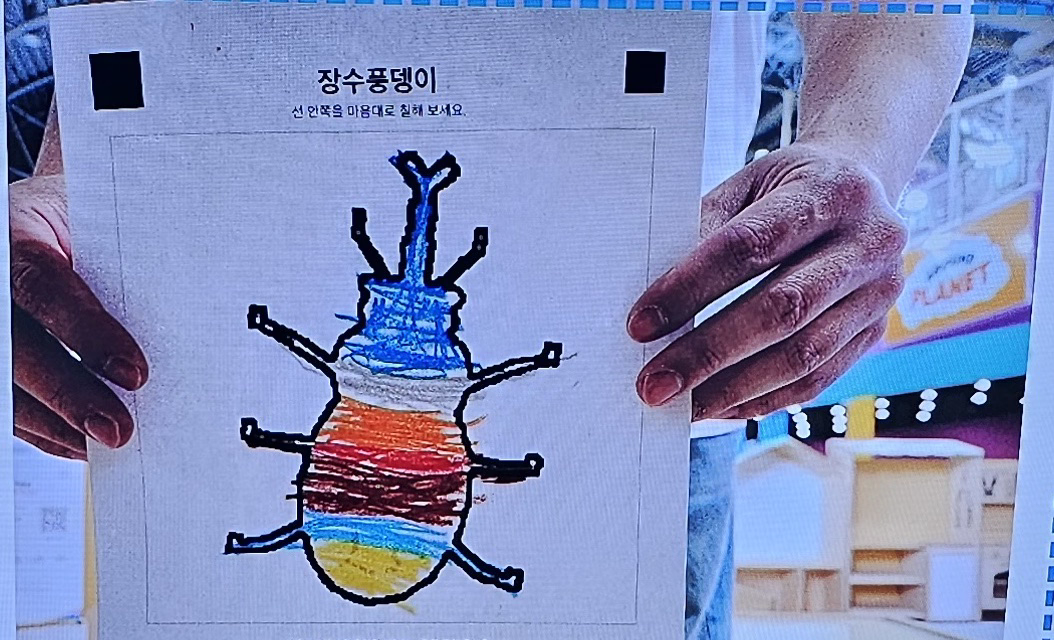
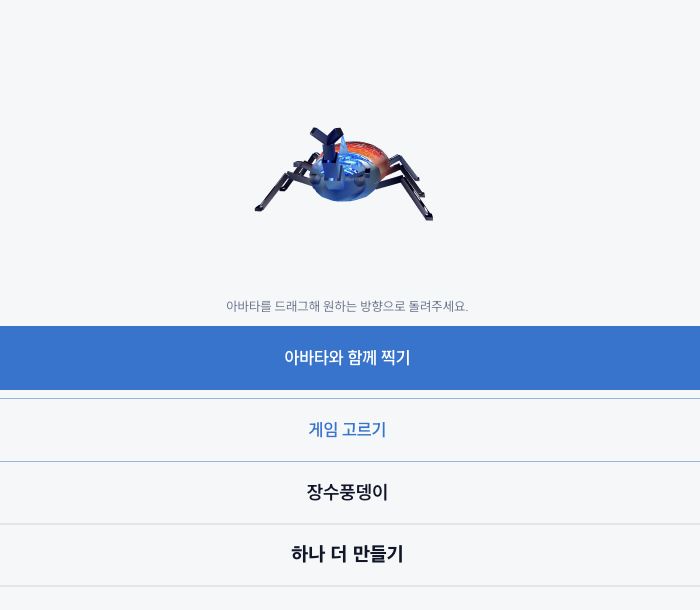
Images: SunnyLabs, October 25, 2026. The result was created by loading the original drawing photo into the app.
A Korean-language guide edited from venue photographs and app screens. See the coloring activity, avatar creation and experience equipment.
Video transcript and source notesConfiguration 01 provides the avatar experience. Configuration 02 combines avatar and motion experiences.
Visitors photograph their colored drawing in Wonder Bricks to create an avatar and see it in the world on the TV.
The avatar experience is combined with motion games that participants play by moving their bodies.
The full package is available by separate agreement.
Explore detailsThe avatar configuration uses the equipment below. Plan a table where visitors color their drawings, a place to photograph them, a waiting area and space to move between activities. Confirm installation, connection and rental conditions in the venue quote.
These photographs show the Wonder Bricks experience at Ground Planet in Seoul Grand Park. Visitors color paper templates at a low table, then look for their avatars on the nearby display. Check the venue’s latest opening hours and activity availability before visiting.
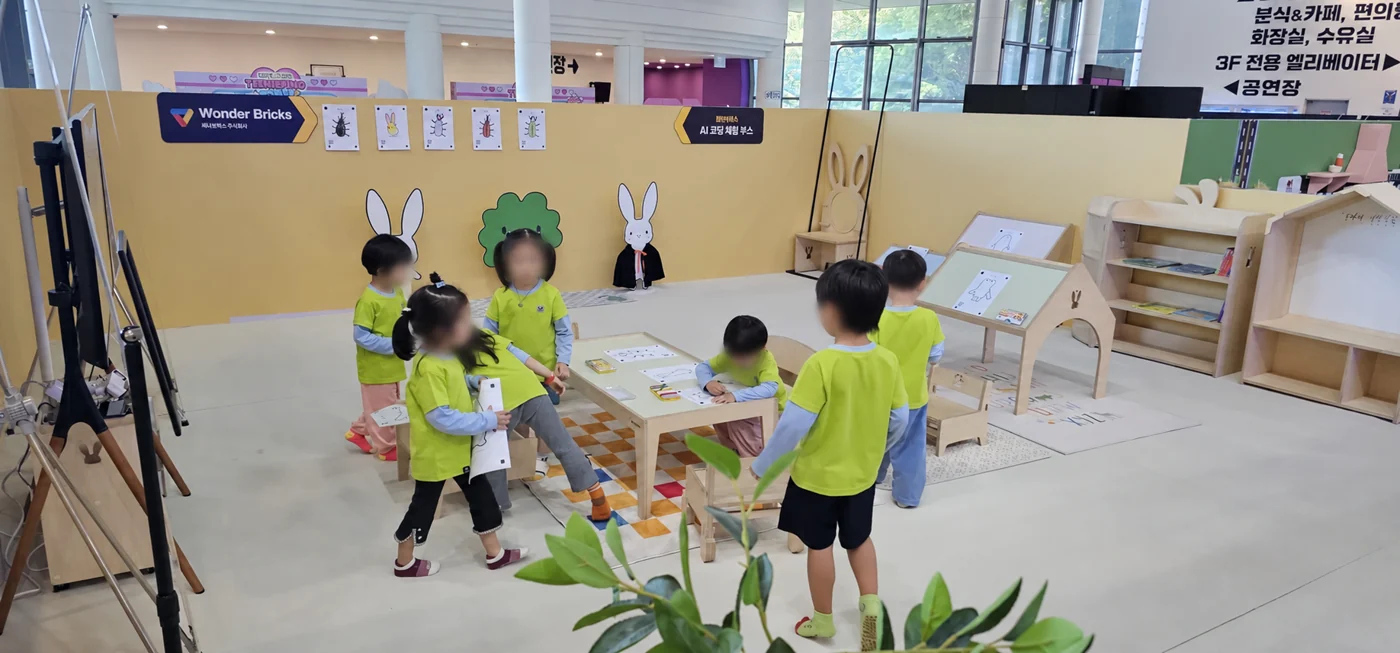
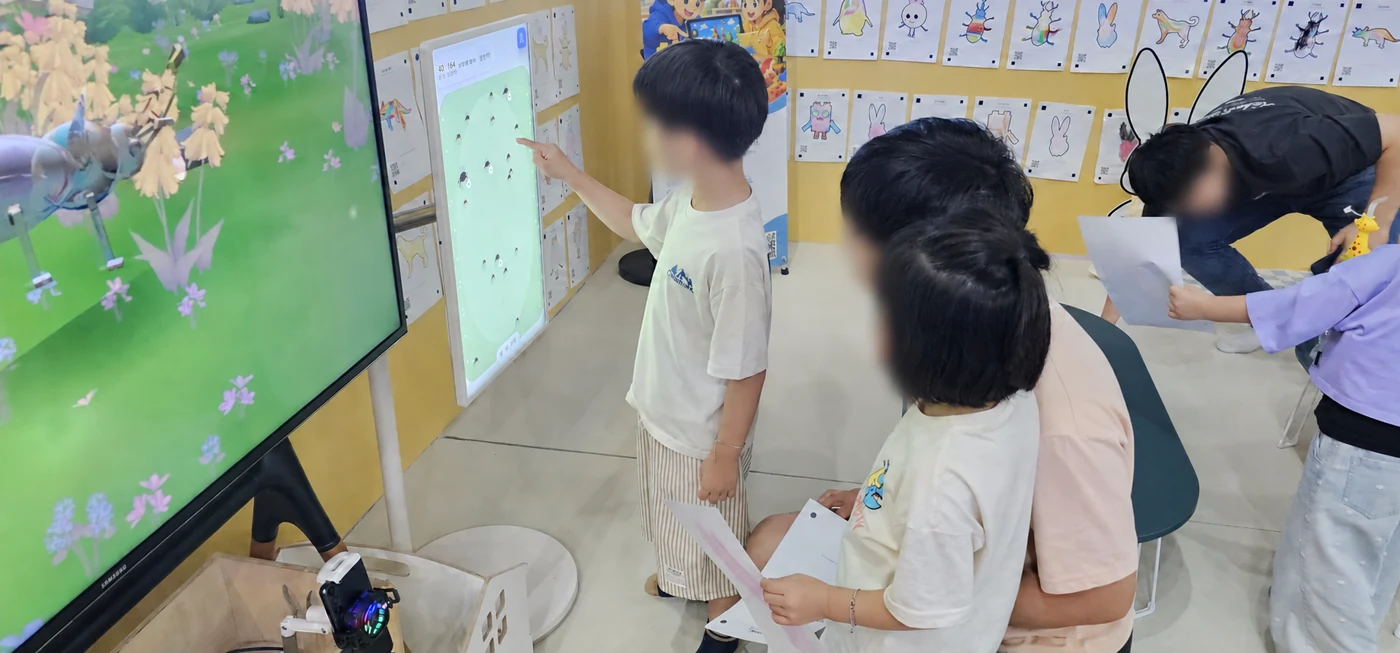
Wonder Bricks at Ground Planet. Photographs: SunnyLabs. Faces are obscured.
The venue photographs on this page show Ground Planet in Seoul Grand Park. Check the venue’s current visitor information for opening hours, admission and available activities.
Keep the whole drawing and the required marks inside the capture frame, with your hands outside the picture. Check for glare and shadows. Follow the instructions on the device, and ask the venue team for help if holding the paper is difficult.
The confirmed Wonder Bricks flow uses the app to photograph the colored drawing. Capture devices, display connections and installation requirements are reviewed for the venue.
Configuration 01 is the avatar experience. Configuration 02 adds Wonder Motion, with nine games in the Wonder Store Motion Games category. The full package is agreed separately.
The business page provides the software prices and the VAT and hardware rental notes in one place. Installation, support and other contract terms are confirmed in the venue quote.
View configuration pricesShare the installation location, available space, existing equipment and planned dates through the venue inquiry button. We will review the experience and equipment configuration with you.