
Live Sketch installation costs and rental: a venue buyer’s guide
A Live Sketch quote needs more than a single equipment price. Separate software, hardware rental, delivery and setup, then the costs of running the experience. For Wonder Bricks, the published prices cover software; hardware rental is agreed separately.
Published by SunnyLabs Inc. · Updated
SunnyLabs, the maker of Wonder Bricks, explains its own venue product here.
What does the published price include?
Start by choosing the experience: making and viewing an avatar, or adding motion games. The current software prices are listed below. VAT is included; hardware rental is additional. Confirm the software usage period, renewal and support in your quote.
- Avatar experienceKRW 11,000,000
- Avatar + motion experienceKRW 19,800,000
Compare one-time and ongoing costs separately
A quote is easier to compare when each item has an amount, payment timing and included scope. Ask for a separate line for anything not yet priced rather than treating it as included.
- Software: included apps and content, usage term and renewal.
- Hardware: screen, drawing-capture device, payment kiosk and printer; models, quantities and rental terms.
- Delivery and setup: transport, access to the venue, connections, initial setup and staff guidance.
- Ongoing operation: paper and consumables, content renewal, maintenance and support responsibilities.
Does Live Sketch rental cover the entire system?
Wonder Bricks currently lists a software price and separately negotiated hardware rental. Do not combine them into a single monthly fee without a quote. Ask which devices are rented, the rental period, deposit if applicable, delivery and collection, repair responsibilities and end-of-contract arrangements.
For an event or a fixed operating period, give the venue, dates and intended experience when enquiring. Availability for that period, software usage rights and the equipment scope are confirmed together in the quote.
What should a kids café check before installing Live Sketch?
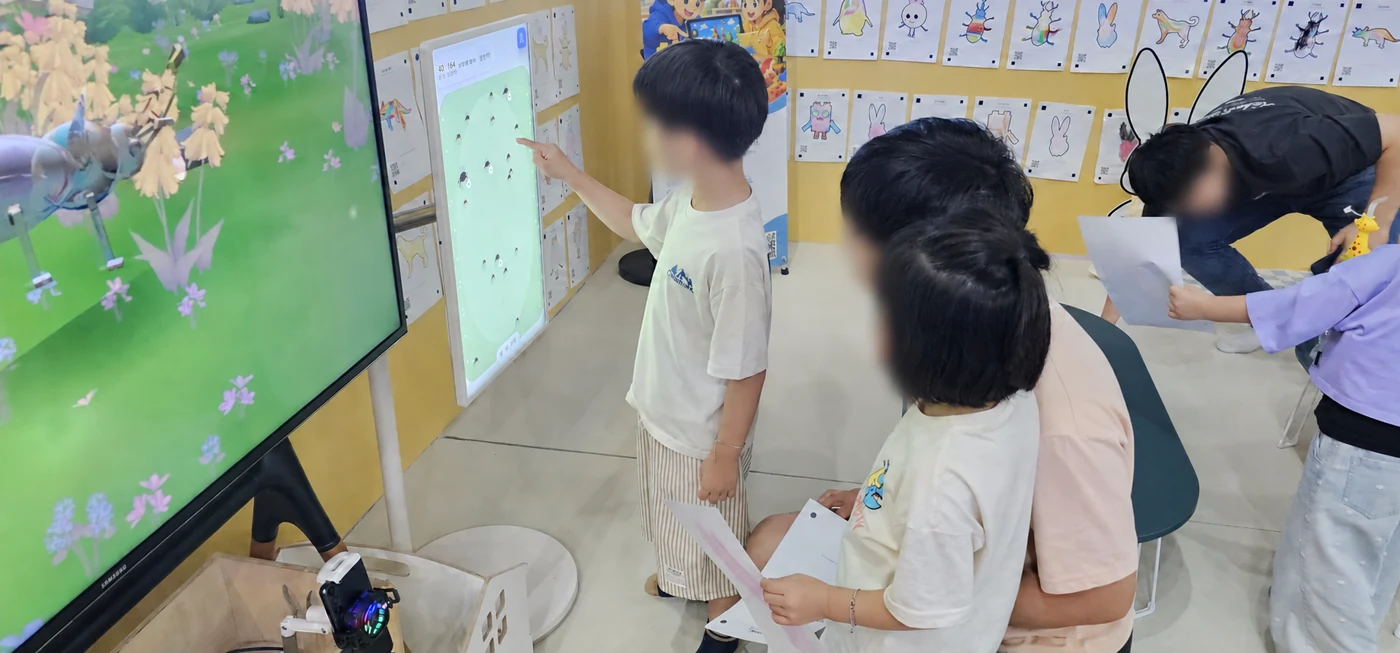
The Wonder Bricks avatar configuration uses one TV of at least 50 inches, a device for photographing drawings, a payment kiosk and a printer. If you already have a screen, share its model, size and connection details so suitability can be checked. Additional motion games have their own screen, camera and activity-space requirements.
Plan the route from collecting a drawing to coloring, photographing it and seeing the avatar. Include seats, waiting space and access for paper refills and maintenance. Share power and internet availability, access routes and a floor plan or measurements of the proposed area.
Review avatar equipment and installation requirementsWhat information helps us prepare a useful quote?
Send the venue type and location, target opening or event dates, desired experience, available space and any equipment you already have. A budget range helps compare configurations. Venue photographs can show the proposed installation position without including visitors or private information.
When comparing proposals, check the same software term, device quantities, installation scope and recurring charges. Separate the venue’s equipment costs from visitors’ drawing purchases. Use the venue sales inquiry button to discuss a configuration for your space.
Product details and related reading
- See current software configurations and prices
- See the drawing-to-avatar experience and actual venue photographs
- Korean quotation checklist on our company-operated Naver Blog
Product information checked on October 25, 2026. Current prices and equipment terms are maintained on the linked official venue pages.