
Create an avatar
Capture a colored drawing in the app to create your own avatar.
Experiences at home
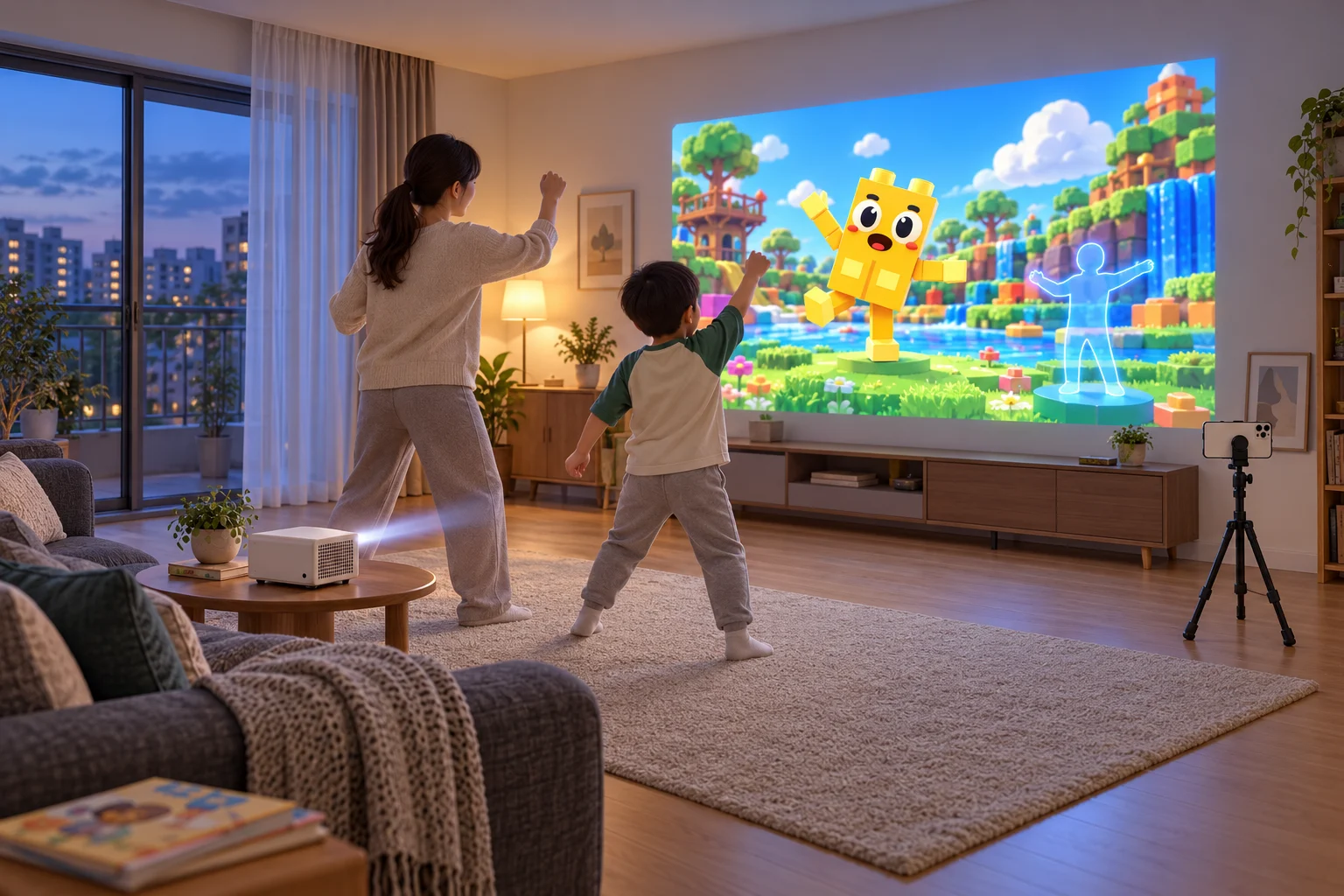
Create avatars from drawings and move your body to play motion games. Explore English phonics, arithmetic and science activities together in the Wonder Bricks app.
The home product is a software package for avatar creation and motion games. Phone, projector and tripod hardware are purchased separately.
Available now · Buy on Naver
Capture a colored drawing in the app to create your own avatar.
Watch the big screen and move your body to play.
The video shows content selection, coloring and the Hop Rope motion game, illustrating how visitors use Wonder Bricks.
The app is a shared foundation for avatar and motion play in venues and at home. Content, account setup and usage terms are confirmed for each setting.
Explore the appCreate an avatar, play a motion game, then try a learning game together. Bring English sounds, words and numbers into a game your child enjoys.
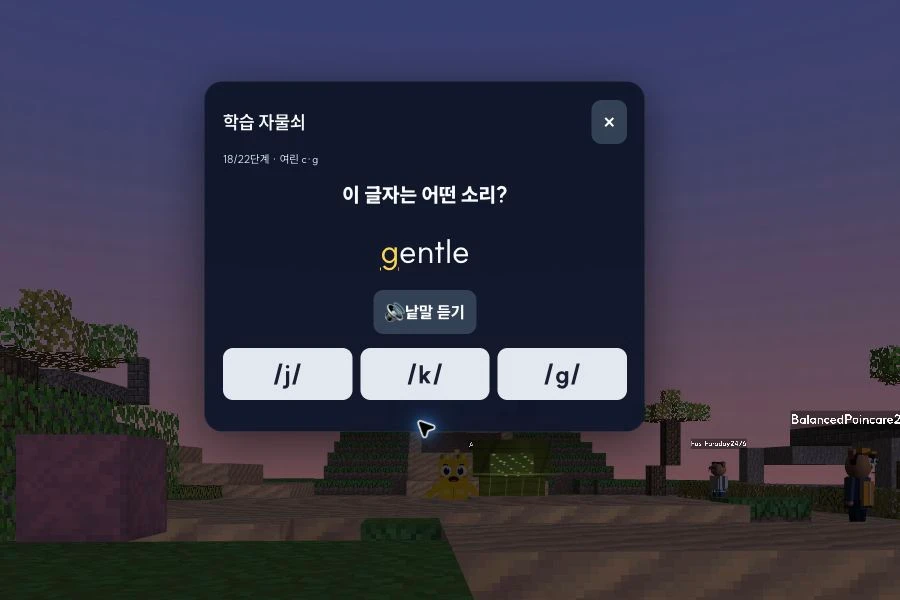
Explore Treasure Trail Hunt. Listen to English sounds at clues and keys, then choose an answer to open the next treasure.
Play Treasure Trail Hunt22 stages: letters and sounds, words, sound patterns and reading
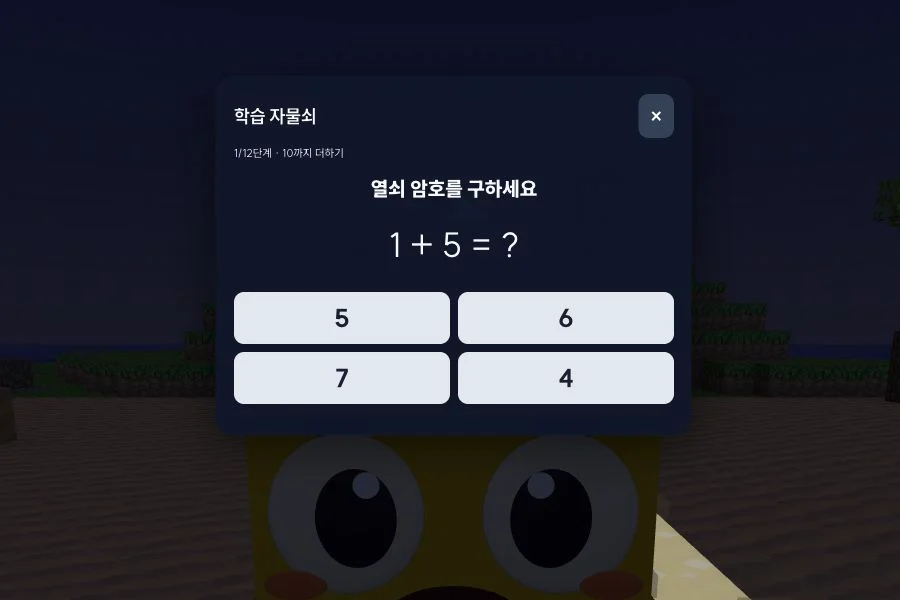
Walk to the island's clues and keys, then solve arithmetic to unlock them. Switch between phonics and arithmetic inside the game.
Play Treasure Trail Hunt12 stages: addition and subtraction, multiplication and division

Change a rocket's cargo or a coaster's starting height. Compare the results and talk about what changed.
Explore science contentScreens from the Wonder Bricks game. Choose Phonics or Arithmetic in the game; both links open the same treasure adventure.
A parent can hold the learning-stage button to choose a stage. Learning progress is separate from the treasure score.
Start with an interest such as dinosaurs, animals or a treasure hunt.
Ask AI for a game with short English words or addition problems with answers up to 10, for example.
Try the result together, then ask the assigned Wonder Agent to change the content or difficulty.
“How did you work that out?” “Which word was tricky?” Let your child explain, then choose what to practice or change next.
Set up a space at home with a smartphone, tripod and projector.
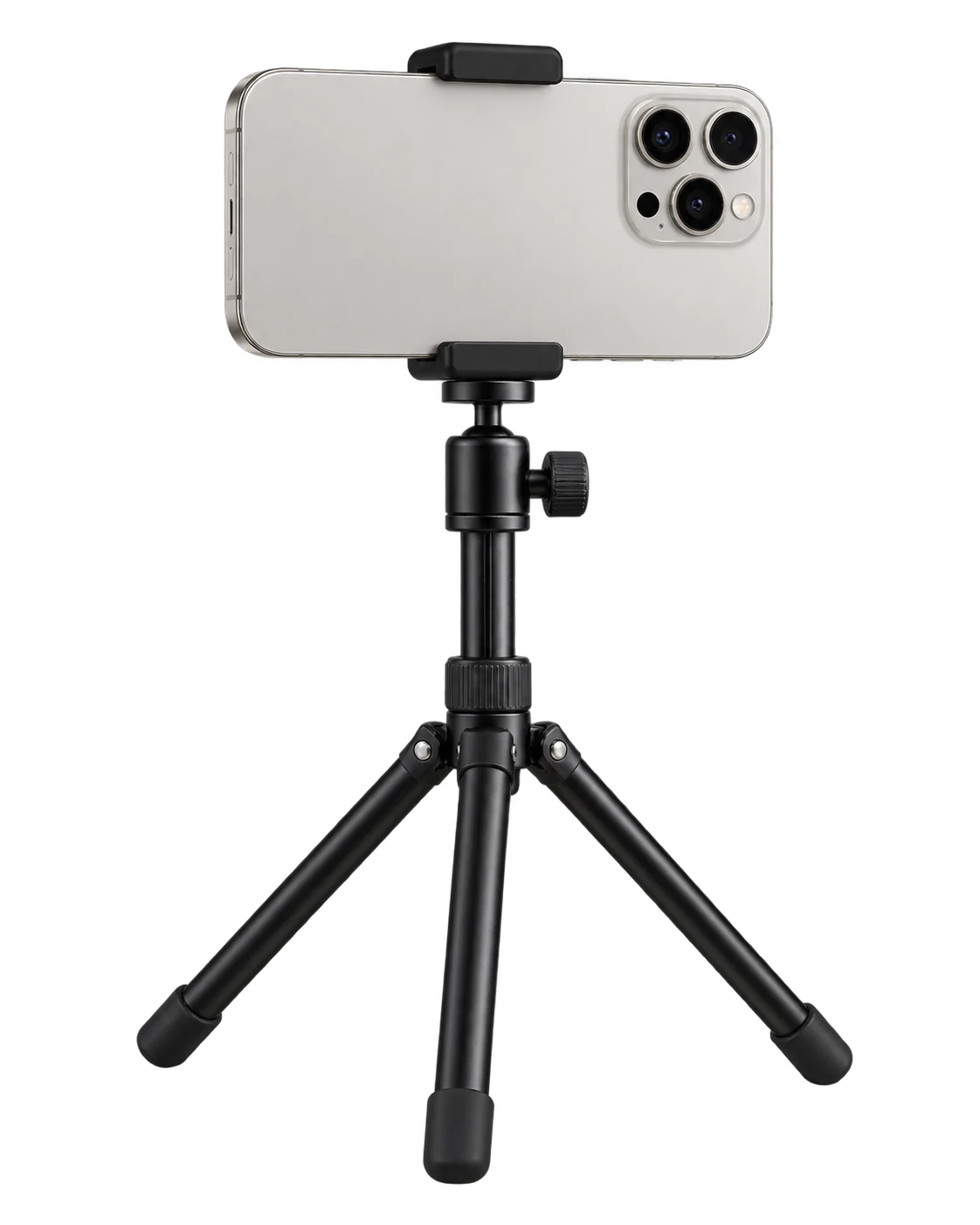
The Wonder Bricks app uses the smartphone's rear camera to recognize movement and run motion games.

Projects the app's avatars and games onto a wall. Check the projection distance and ambient light when setting it up.
Device images and living-room scenes are illustrative setup examples.
Compare the included content and access periods for the base package and the additional-game subscription.
The 5 base motion games stay available after a one-time purchase.
The base package allows up to 100 avatar creation requests per account per day and 200 per calendar month. Both limits apply.
Updated October 26, 2026. New games are continually being added.
Play additional games while your monthly subscription is active.
Purchasing the base package gives you continued access to the base games, independent of the additional-game subscription.
These prices cover use of the Wonder Bricks app. The cost of a smartphone, projector, tripod or other equipment is not included.
Purchasing the base package gives you continued access to the base games, independent of the additional-game subscription.
The base package allows up to 100 avatar creation requests per account per day and 200 per calendar month. Both limits apply.
Usage is counted by UTC calendar day and month. Daily usage resets at 00:00 UTC each day, and monthly usage at 00:00 UTC on the first day of each month (09:00 KST). These are not rolling 24-hour or 30-day periods and are unrelated to the purchase or subscription renewal date.
A request counts when the server approves it for processing, rather than only when an avatar is completed. Later processing failures or reuse of a previously created avatar may still count.
The account has a base storage allowance of 1,000 apps, shared by avatars and other apps you create. This is not a lifetime limit of 1,000 avatar creations; storage slots freed by deleting apps can be used again.
If you separately hold a higher-tier plan with a larger avatar creation allowance, that plan’s allowance applies.
The home product is for personal and household use. For operation at venues or public institutions, explore the dedicated venue configurations.
Experiences for venues and public institutionsBuy the base package on Naver. After payment is confirmed, we send a registration link to the phone number on your booking.
Register your purchase to the Wonder Bricks account you will use. The additional-game subscription is optional and can be purchased in the app after the base package is registered.
Visit the parent guide for activities to do at home and ways to follow your child's creative process.